
Caretaker: Store Monitor
See what changed in your theme after every publish
A free Shopify app that finds code left behind by apps you removed and apps switched off in your theme, and tells you in plain words how to fix each one.
See it in your Shopify admin
Real screens from Caretaker on a test store. Click a screen to see it larger.
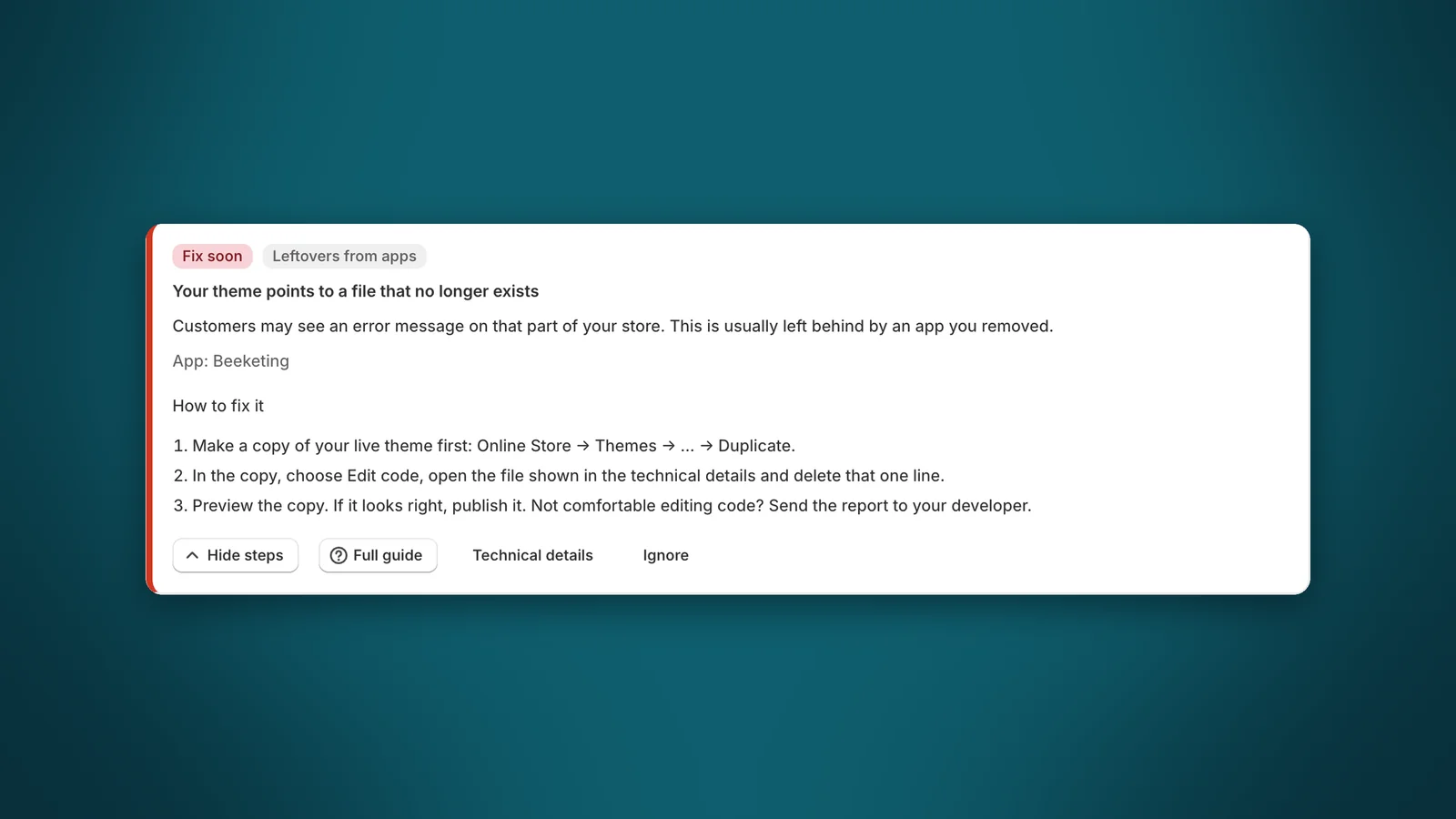
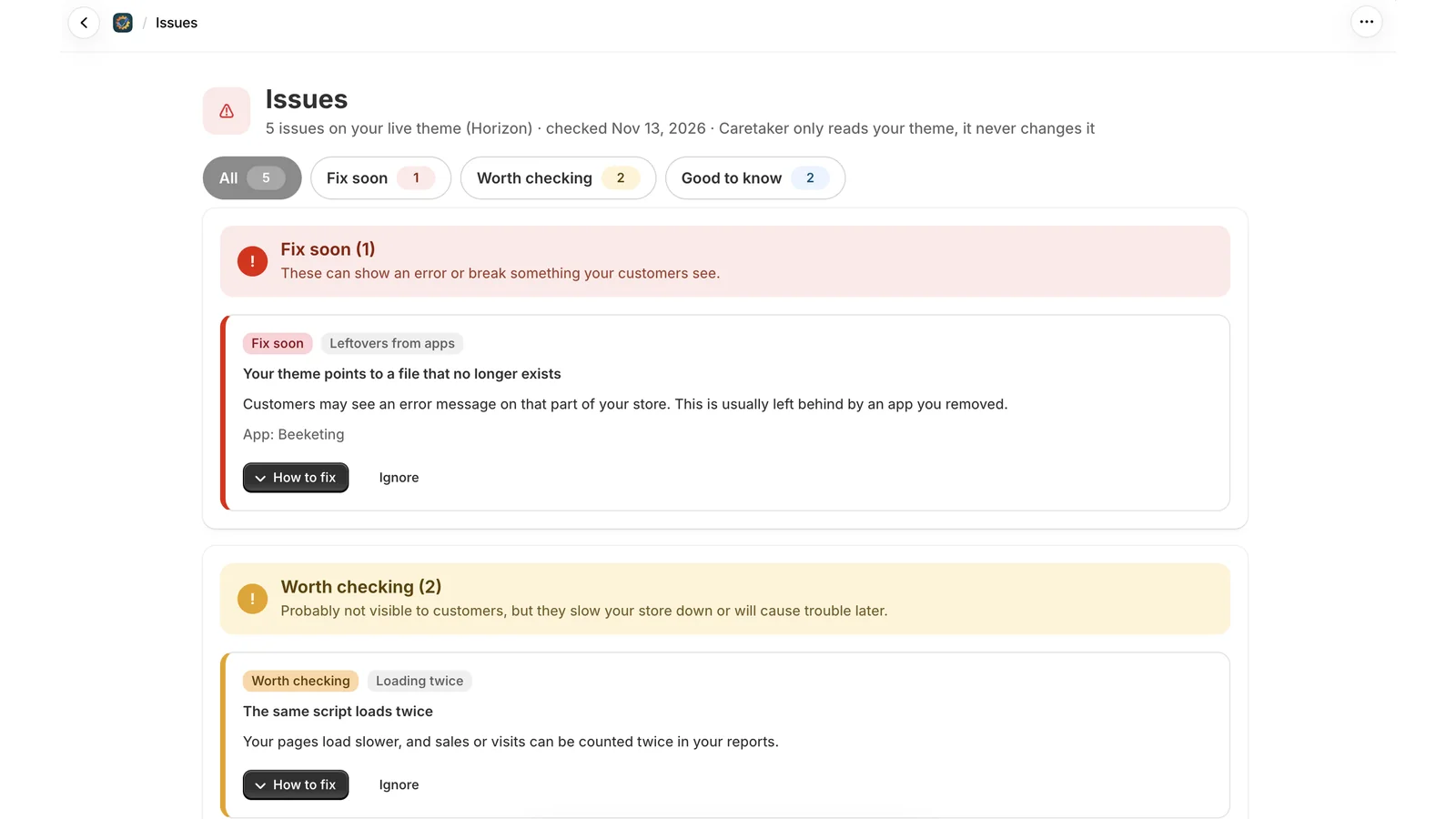
Leftovers from apps
Find what removed apps left behind
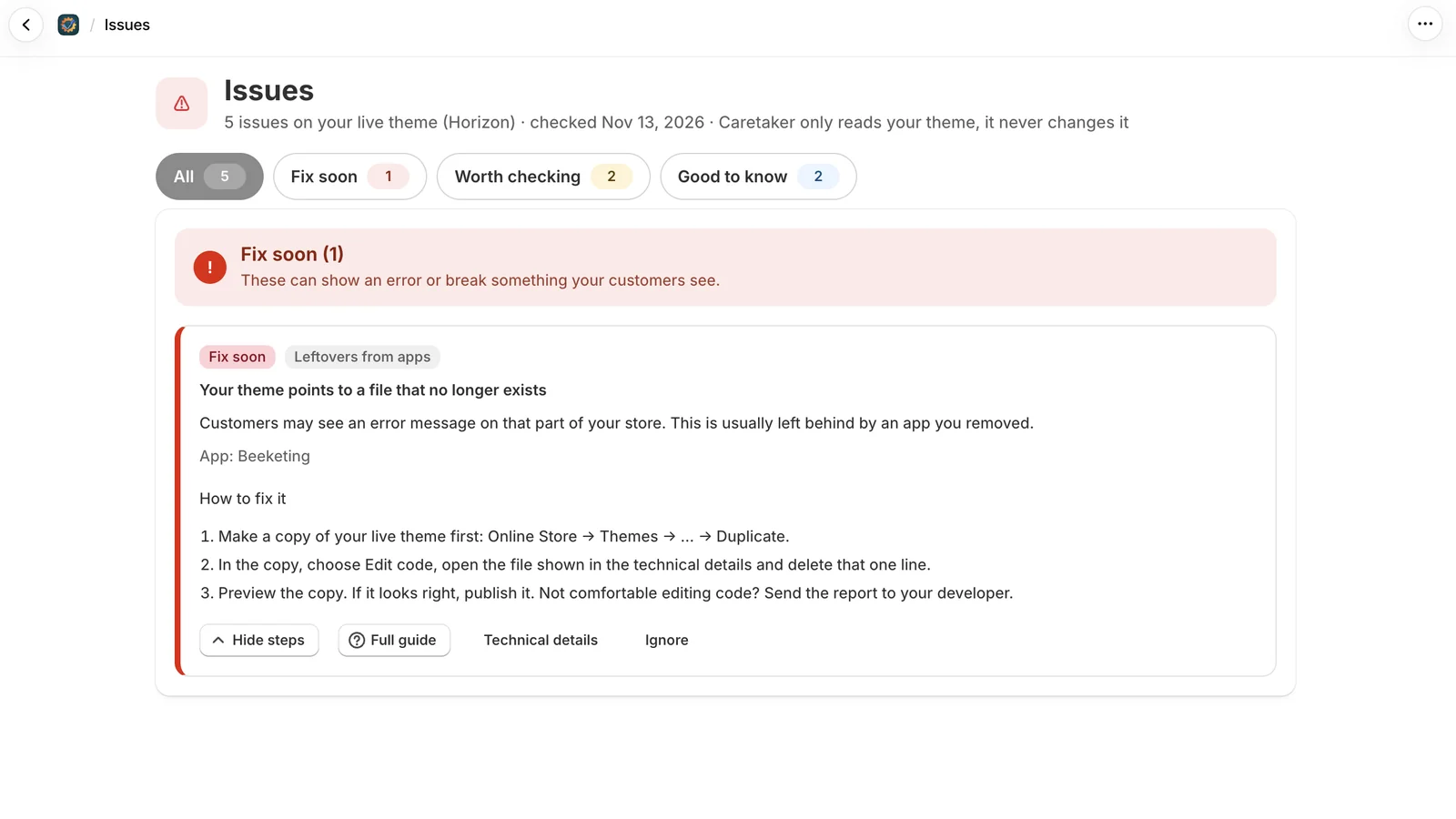
Uninstalling an app does not always clean up after it. Caretaker lists the files your theme still points to but no longer exist, code from apps you removed, and scripts that load twice.
Every issue is sorted by how soon it needs fixing and explained in plain words, with simple steps to fix it. The exact file and line are there for your developer.
After every publish
Know when a new theme switches off an app
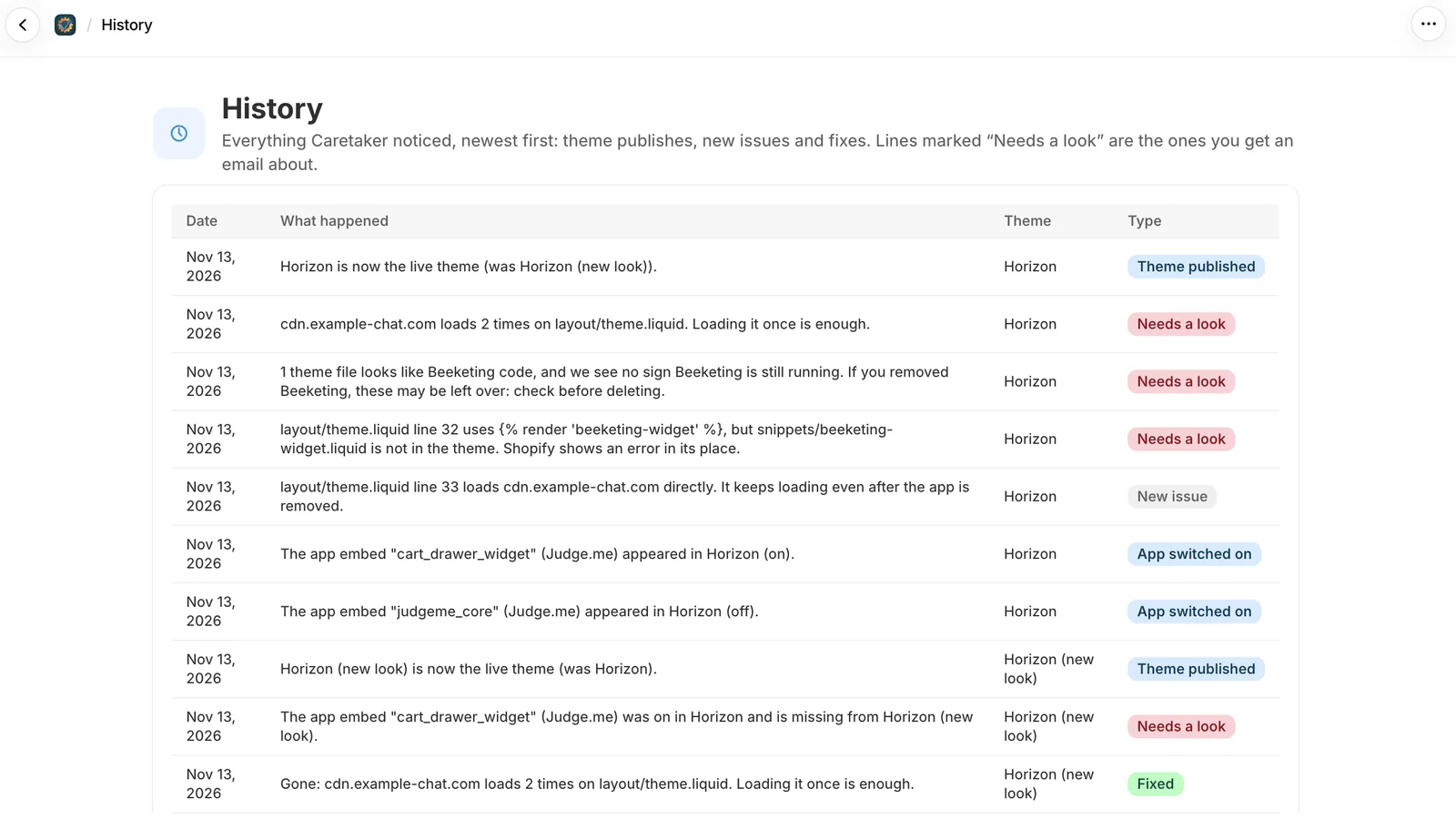
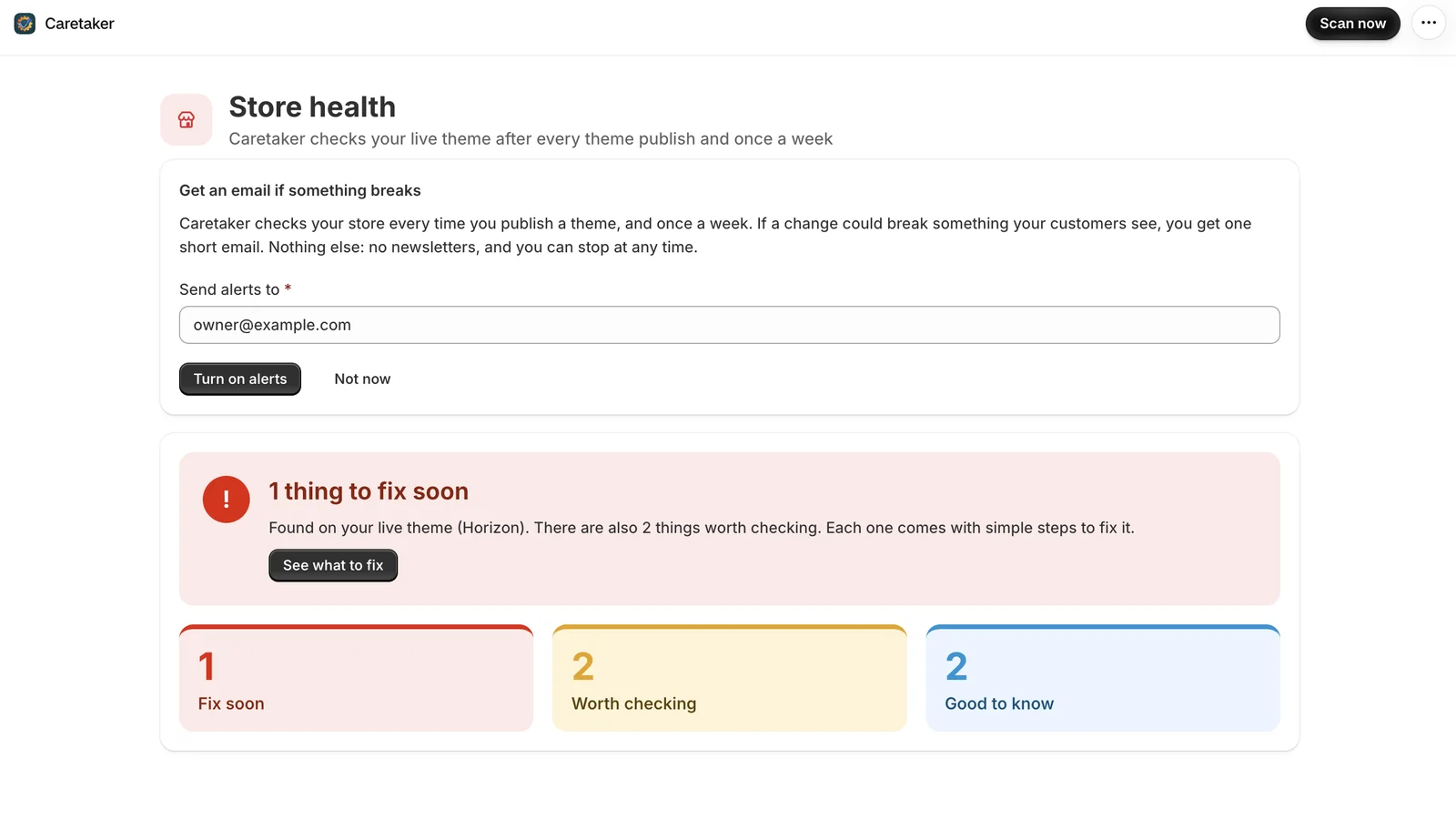
Publishing a theme can quietly turn off apps your customers see: reviews, chat, pop-ups or tracking. Caretaker checks again right after every theme publish, and once a week.
If a change could break something, you get one short email. The history shows what each publish changed, and what has been fixed since.
Before you publish
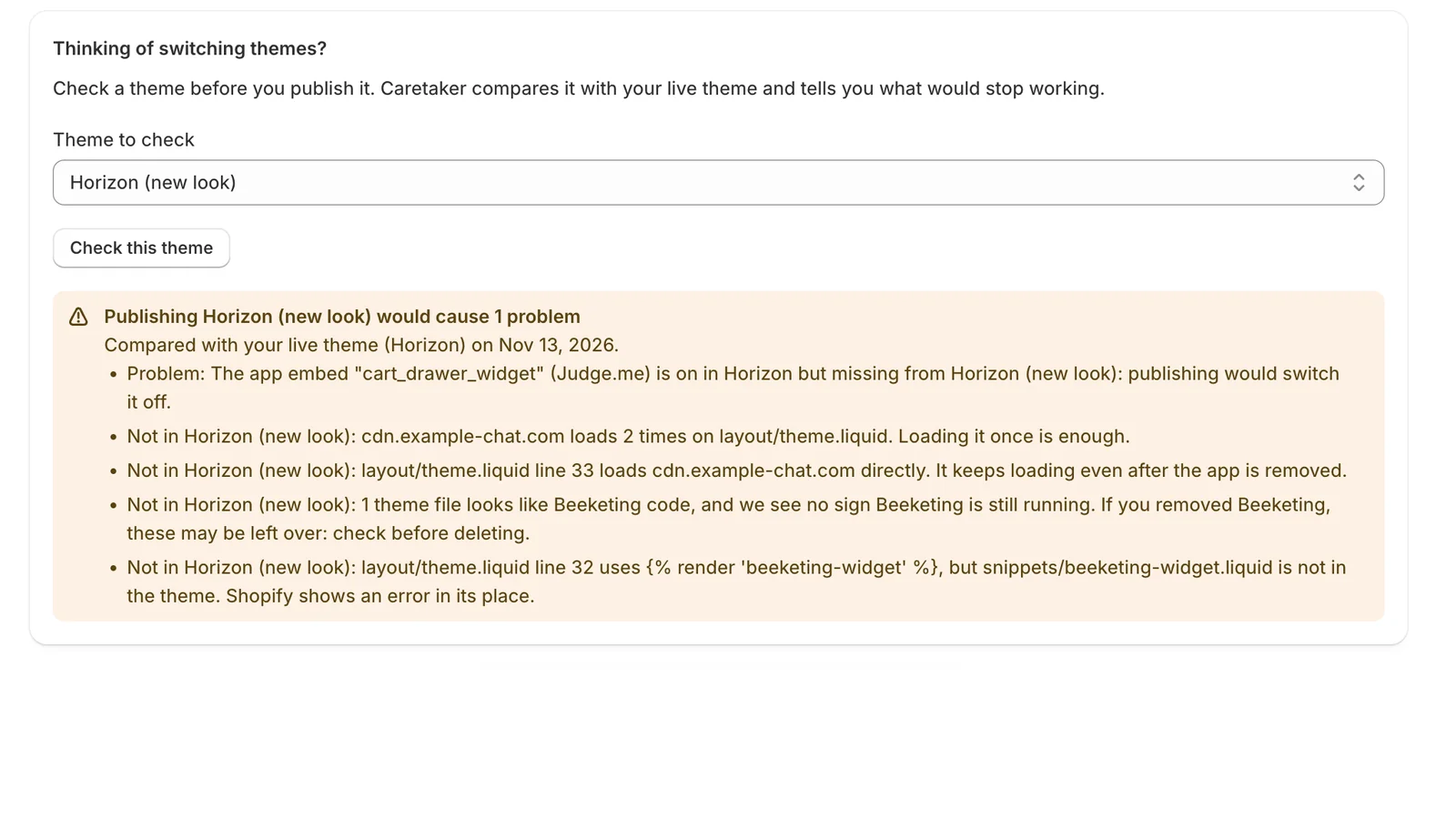
Check a theme before your customers see it
Thinking of switching themes? Pick a theme you have not published yet. Caretaker compares it with your live theme and tells you what would stop working if you published it.
Read-only
Your theme stays exactly as it is
Caretaker only reads your theme. It never edits a file or adds code to your store.
The home page shows at a glance whether anything needs attention. Every fix is a step you, or your developer, choose to take.
Alerts
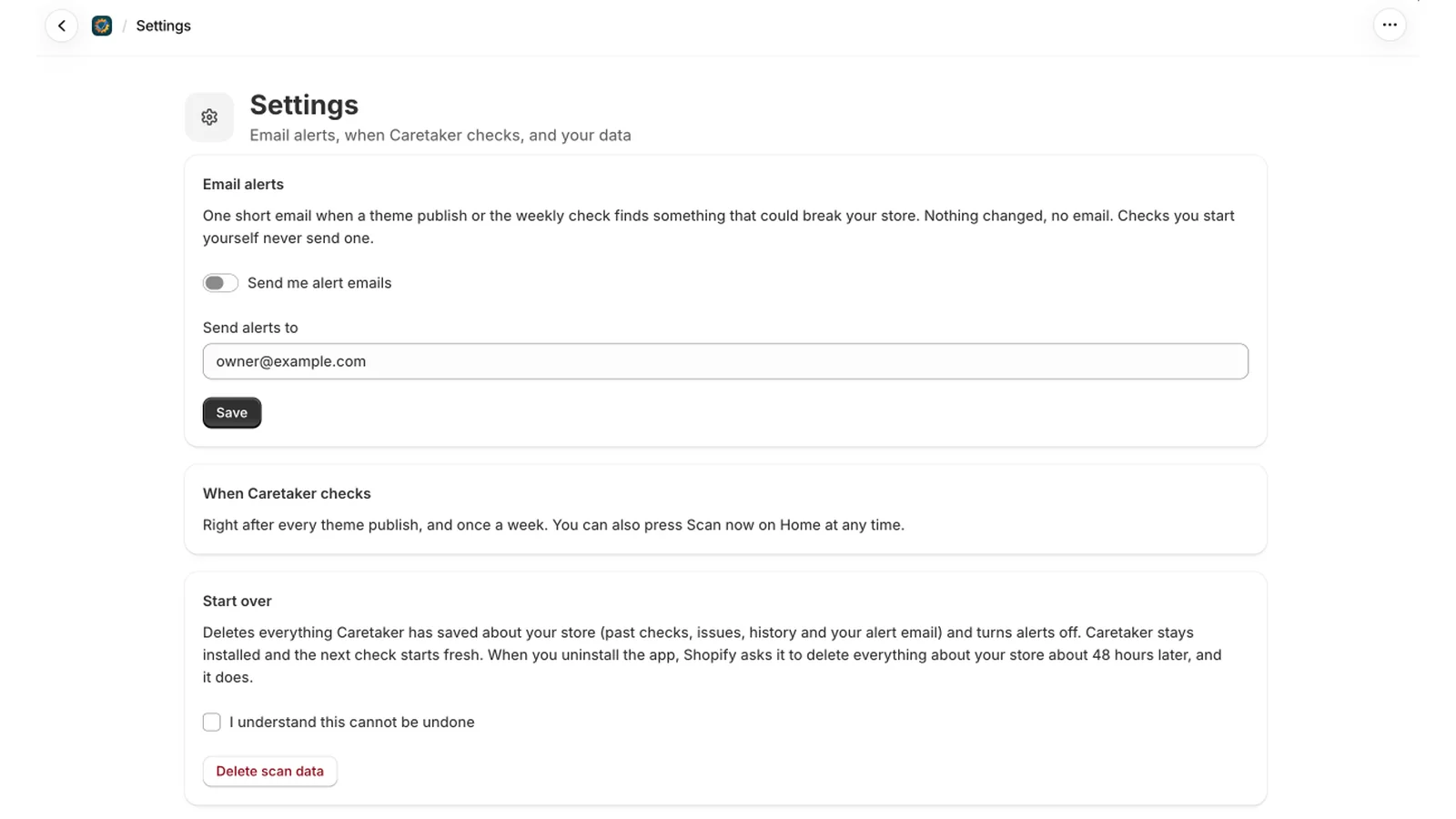
Email alerts, on your terms
Choose where alerts go, or turn them off. No change, no email, and checks you start yourself never send one.
You can delete everything Caretaker saved about your store from Settings at any time.
How it works
Install
Caretaker reads your live theme and shows the first results in about a minute.
Keep working as usual
It checks again after every theme publish, and once a week.
Hear about problems
If a change could break something your customers see, you get one short email.
What Caretaker finds
Every issue comes with what it means for your store and simple steps to fix it. Each one has a full guide.
✓Leftovers from apps
Files your theme points to that no longer exist, code from apps you removed, and scripts written straight into your theme.
✓Apps switched off
A theme change turned off an app your customers see: reviews, chat, pop-ups or tracking.
✓Loading twice
The same script loads more than once: slower pages, and visits or sales counted twice.
✓Old-style app scripts
Scripts that Shopify stops loading on March 1, 2027, and which app each one belongs to.
Questions
Can I install Caretaker today?
Not yet. Ask for early access and we will email you as soon as you can install it.
Does Caretaker change my theme?
No. It only reads your theme files. Every fix is a step you, or your developer, take.
What data does it keep?
A summary of your live theme and the one before it, the issues it found, and your alert email if you turn alerts on. Nothing about your customers or orders. You can delete it all from Settings at any time.
How much does it cost?
Caretaker is free.
My store has a password page. Does it still work?
Yes. Theme checks and alerts work as usual. The check for old-style app scripts needs a public storefront and runs once the password is removed.
Privacy policy·Terms of service·Guides·Support: eagerapps22@gmail.com
Know before your customers do
Caretaker is free and only reads your theme. Made by EagerApps.
Get early access